Casio PX-A100 Betriebsanweisung Seite 10
- Seite / 38
- Inhaltsverzeichnis
- LESEZEICHEN

- USER’S GUIDE 1
- GUÍA DEL USUARIO 1
- Impor tant! 2
- IMPORTANT SAFETY INSTRUCTIONS 2
- FCC WARNING 2
- Declaration of Conformity 2
- Contents 3
- General Guide 4
- FUNCTION Button 5
- Power Outlet 6
- Auto Power Off 7
- Connections 8
- Connecting a Pedal 9
- Bundled and Optional 9
- Accessories 9
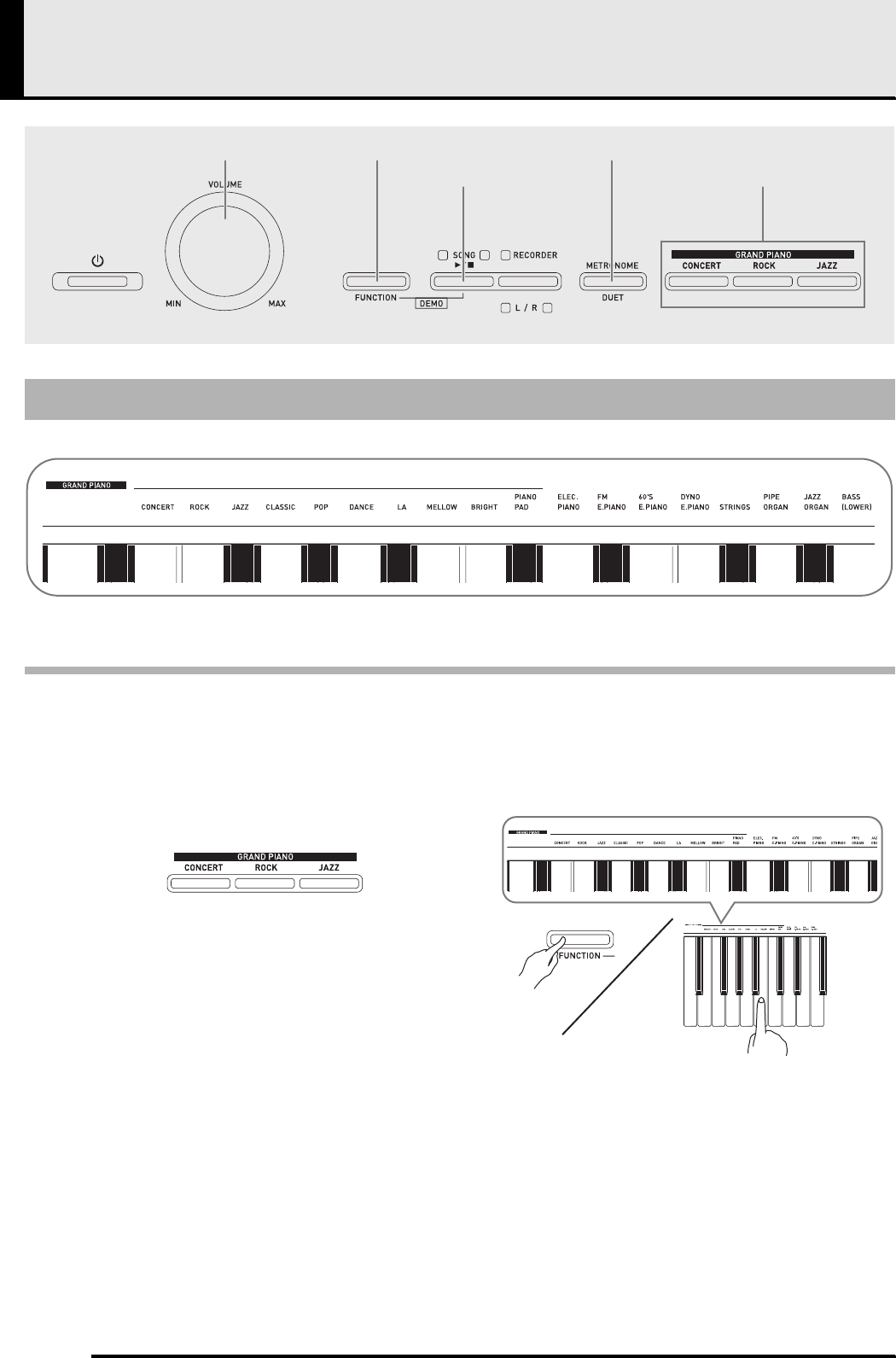
- Playing with Different Tones 10
- Bass Tone (BASS) 11
- Layering Two Tones 12
- Using Effects 13
- Using the Metronome 14
- Playing a Piano Duet 15
- Playing Back Built-in Songs 16
- Library Song 17
- Recording and Play Back 18
- Example: Track 1 selected 19
- To record to one track of a 20
- Playing Back from Digital 20
- Piano Memory 20
- Deleting Recorded Data 21
- FUNCTION 22
- [Left keyboard] 23
- [Overall] 23
- [Center keyboard] 23
- [Right keyboard] 23
- Parameter List 24
- ■ Keyboard 25
- ■ MIDI and Other Settings 26
- Connecting to a Computer 27
- Using MIDI 28
- Computer 28
- Double-click “PIANO” 29
- (Music Library 61 to 70) 29
- Copyrights 30
- Reference 31
- Product Specifications 32
- Operating Precautions 33
- Appendix/Apéndice 35
- MIDI Implementation Chart 36
Verwandte Produkte und Handbücher für Digitale Klaviere Casio PX-A100
 (34 Seiten)
 (17 Seiten)
 (162 Seiten)
 (81 Seiten)
 (81 Seiten)
(48 Seiten)
(167 Seiten)
(59 Seiten)
(130 Seiten)
(37 Seiten)
(132 Seiten)
(81 Seiten)
(48 Seiten)
(167 Seiten)
(59 Seiten)
(130 Seiten)
(37 Seiten)
(132 Seiten)
© 2020, manymanuals.de. Alle Rechte vorbehalten. | 0.072 s |
 Manymanuals.com
 Manymanuals.de
 Manymanuals.fr
 Manymanuals.it
 Manymanuals.pl
 Manymanuals.cz
 Manymanuals.es
 Manymanuals-pt.com
Kommentare zu diesen Handbüchern